Make A Free Wedding Invitation: A Complete Guide
"Design beautiful, budget-friendly invitations without compromising on style."
The cost of wedding stationery can add up quickly, but your invitations don't have to break the bank. In fact, with the right tools, you can make an invitation free of charge that looks like it came from a high-end boutique. Whether you are a design novice or a DIY pro, the digital age has made it easier than ever to create stunning, personalized invitations from the comfort of your home.
This guide will walk you through the best free design platforms, provide a step-by-step tutorial on creating your first design, and share insider tips on printing and etiquette. By the end, you'll be ready to send out beautiful invitations that set the perfect tone for your big day—all while staying within your budget.
Why Choose Free Invitations?
Opting for a free digital design isn't just about saving money—it's about flexibility and creative control. Here are the main benefits:
- Budget-Friendly: You can allocate more of your budget to other areas like catering, photography, or your honeymoon.
- Unlimited Revisions: Unlike ordering printed invitations, you can tweak the design as many times as you like without incurring reprint fees.
- Eco-Friendly Option: If you choose to send digital invitations, you reduce paper waste significantly.
- Quick Turnaround: You can design and finalize your invitation in a single afternoon, perfect for last-minute planners.
For a deeper dive into the nuances of wording and format, you can explore our guide on wedding invitation wording to ensure your message is perfect before you start designing.
Best Free Design Tools Compared
Not all free tools are created equal. Below is a comparison of the top platforms that offer robust free tiers for creating invitations. We've classified them using universal quality tiers to help you understand their relative strengths.
Canva (Entry-Level to Premium)
Best for: Beginners and those who want a massive library of templates. Canva's free tier is incredibly powerful, offering thousands of invitation templates, fonts, and graphics. The drag-and-drop interface is intuitive.
Limitations: Some of the best elements are reserved for Canva Pro (premium). However, you can still create a stunning invitation with the free assets.
Adobe Express (Mid-Range to Premium)
Best for: Users who want high-quality design tools and seamless integration with Adobe's ecosystem. The free version offers excellent typography control and professional-looking templates.
Limitations: The free tier has a smaller asset library compared to Canva, and some features are locked behind a subscription.
Greetings Island (Entry-Level)
Best for: Quick, simple designs with a focus on printable and digital formats. It offers a good selection of free wedding invitation templates.
Limitations: Less customization flexibility. You are more restricted to the template's layout and style.
Pro Tip: Before committing to a tool, check if it allows you to download your design in a high-resolution format (PDF or PNG). This is crucial for printing. A low-resolution file will look pixelated and unprofessional.
Step-by-Step Design Guide
Ready to create your invitation? Follow this foolproof method to design a beautiful invitation for free.
Step 1: Choose Your Template and Size
Start by selecting a template that matches your wedding theme. If you're planning a specific style, you might find inspiration in our articles on gothic-style wedding dresses or Indian wedding sarees. Standard invitation sizes are 5x7 inches (A7) or 4x6 inches (A6). In your chosen tool, set the canvas to the correct dimensions and ensure the resolution is at least 300 DPI (dots per inch) for print quality.
Step 2: Customize the Text
Replace the placeholder text with your own details. This includes your names, the date, time, venue, and any other relevant information. Use a clear, readable font for the main details and a more decorative font for your names. For formal weddings, consider the etiquette of a traditional wedding etiquette guide to ensure your wording is appropriate. If you're having a destination wedding, our destination wedding etiquette guide can be helpful.
Step 3: Add Your Personal Touch
This is where you can make the design truly yours. Change the colors to match your wedding palette. For a fall wedding, consider wedding colors for a fall wedding. Add subtle graphics like a bouquet of flowers for a wedding or a monogram. You can also include a save the date card as a secondary element, though this is optional for the main invitation.
Step 4: Download Your Design
Once you are happy with your design, download it. Choose a PDF format with "print quality" or "high resolution" selected. If you are sending digital invitations, a high-quality PNG or JPEG is also acceptable. If you plan to have a friend or family member with a hairstyle for thin hair for wedding help you with the design, ensure they have access to the same file.
💡 Design Tip: Don't overcrowd the invitation. Leave plenty of white space (negative space) to make the text and graphics stand out. A clean, minimalist design often looks more elegant than a busy one.
Smart Printing & Paper Tips
Once your design is ready, it's time to print. Here are some cost-effective strategies:
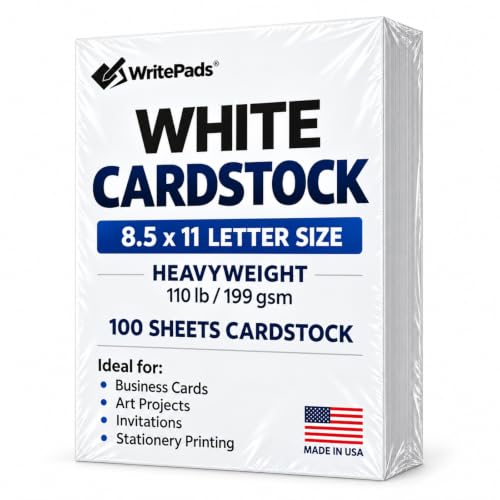
- Print at Home: Use a high-quality inkjet printer and heavyweight cardstock. This gives you the most control over the final product.
- Use a Local Print Shop: If you don't have a good printer, a local print shop can print your PDF file for a fraction of the cost of professional invitation services. You can often find good deals on rent tables and chairs for wedding from similar local vendors.
- Online Printing Services: Websites like Vistaprint or GotPrint often have sales and offer very competitive rates for bulk printing. You upload your design, and they ship the printed invitations to you.
- Choose the Right Paper: For a luxurious feel, choose a matte or linen cardstock. For a modern look, a glossy finish works well.
Invitation Wording & Etiquette
Even a free invitation should follow proper etiquette. The wording you choose sets the tone for your entire event. For a formal wedding, you might use traditional phrasing. For a more relaxed event, you can be more creative. If you are planning an interfaith ceremony, our interfaith wedding tips can guide you on how to respectfully include both traditions. For vow renewals, check out our ideas for wedding vow renewal ceremony.
Don't forget to include important details like RSVP instructions, dress code, and a link to your wedding website. If you're unsure about specific wording, our guide on wedding invitation wording is a great resource. You might also want to include a save the date wedding invitation card as a separate piece.